Recto

A PDF editor for your Mac that edits the actual text.

Click a paragraph and type. Recto rewrites the words in the PDF itself, in the document's own font, and everything else stays where it was.

↓  Download for MacFree · macOS 26 or later · 11 MB ▶  Watch the film77 seconds

Signed and notarized by AppleWorks entirely on your MacNo account

Why it's different

Most PDF apps paint over the page. Recto changes it.

Real text, real fonts

An edit replaces the words in the file, with the document's own font embedded, so search, copy and screen readers all find the new words. Lines rewrap inside the paragraph.

Redaction it checks

Apply Redactions deletes the text, image pixels, shapes and comments under each mark, then reads the saved file again and tells you what it verified.

Nothing leaves your Mac

No account, no analytics, no uploads. Text recognition and Ask run on this Mac, with Apple's Vision and Apple Intelligence.

The film

A minute with Recto

Edit · ⌃⌘3

Click a paragraph, type, done

Hover and each paragraph shows its outline. Click one and it opens right on the page, in the closest matching typeface, with bold and italics kept. ⌘↩ applies, esc cancels.

Drag a paragraph to move it, click empty space to add text, clear one to delete it. If the font lacks a letter you type, Recto says so and draws that word in the closest font on your Mac.
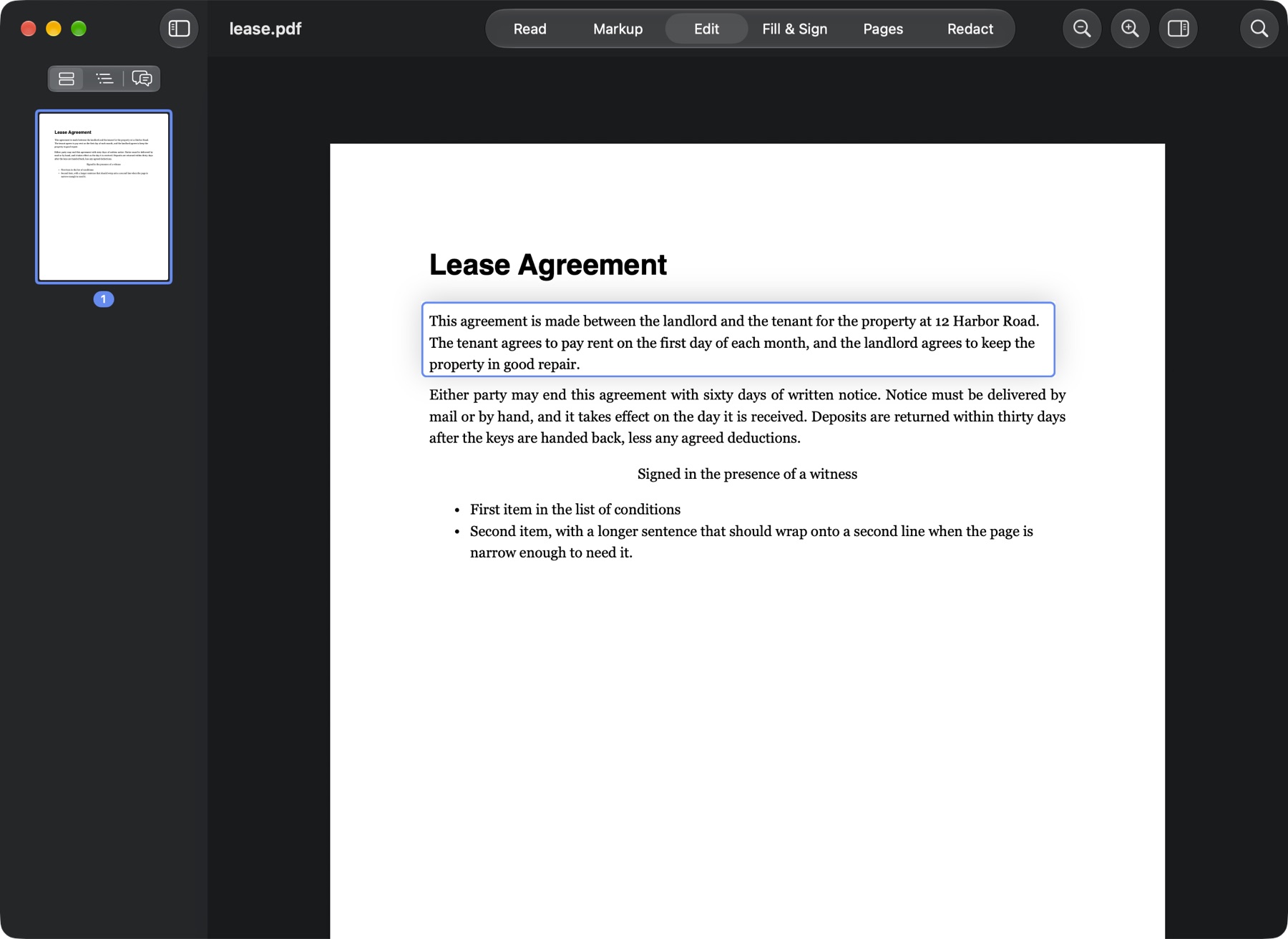
A paragraph open for editing in place
Redact · ⌃⌘6

Remove it, then prove it's gone

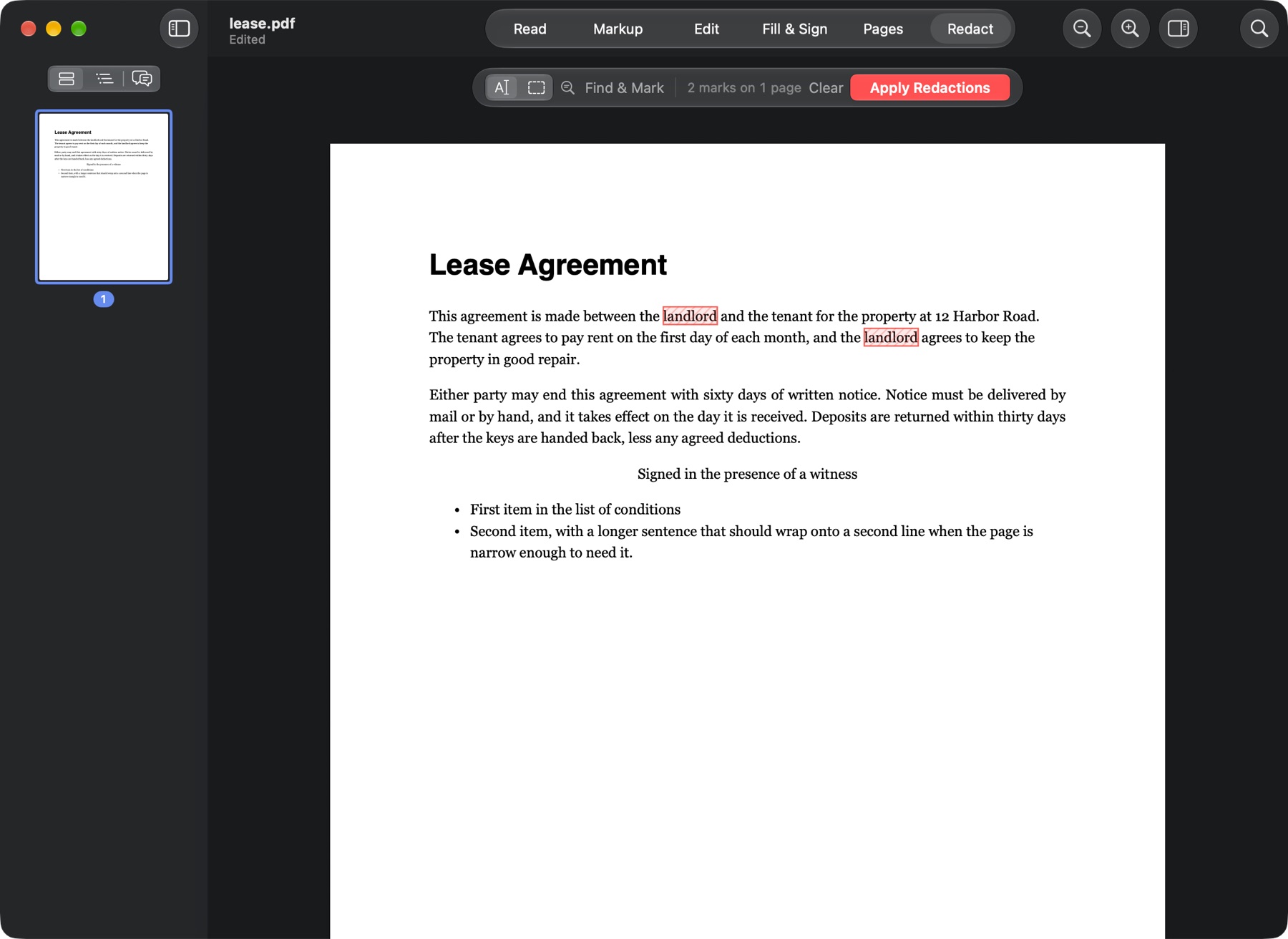
Select text or drag a box over anything: a photo, a signature, a drawing. Find & Mark finds a phrase everywhere, along with email addresses, phone numbers, card numbers and dates.

Apply Redactions removes what's under every mark from the file itself, can clear the title and author, and re-reads the result. If anything couldn't be verified, the report says so.

Two words marked for redaction, with Apply Redactions in the bar
Ask · ⌘K

Ask your document. It stays here.

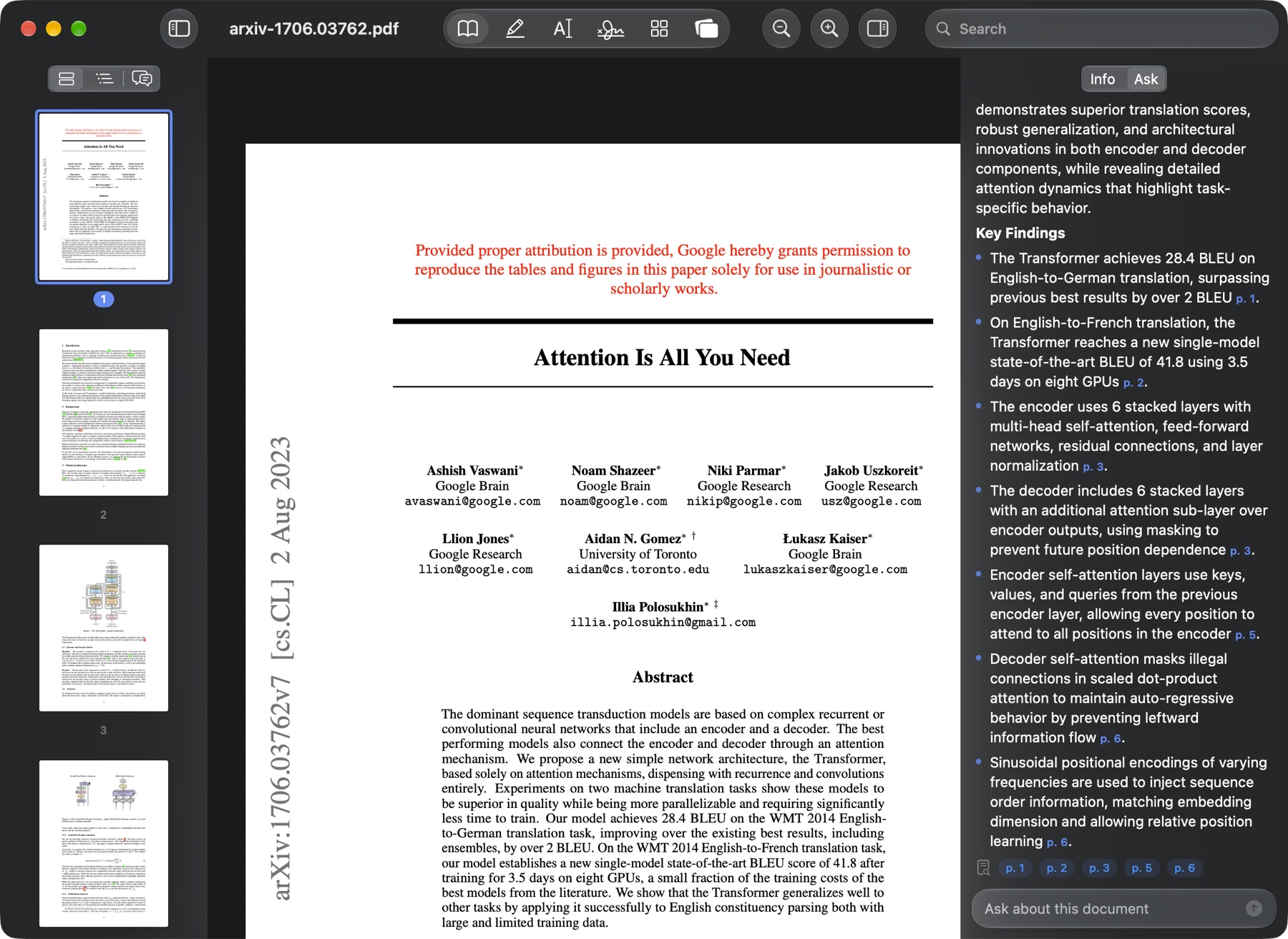
Summarize a paper, ask what a contract says about notice, or select a passage to explain or translate it. Every answer cites its pages; click one and you're there.

Ask uses Apple Intelligence on your Mac, so the document is never sent anywhere to be read. You can turn Ask off in Settings.

A summary of a research paper with page citations in the Ask panel
Markup · ⌃⌘2

Notes that open anywhere

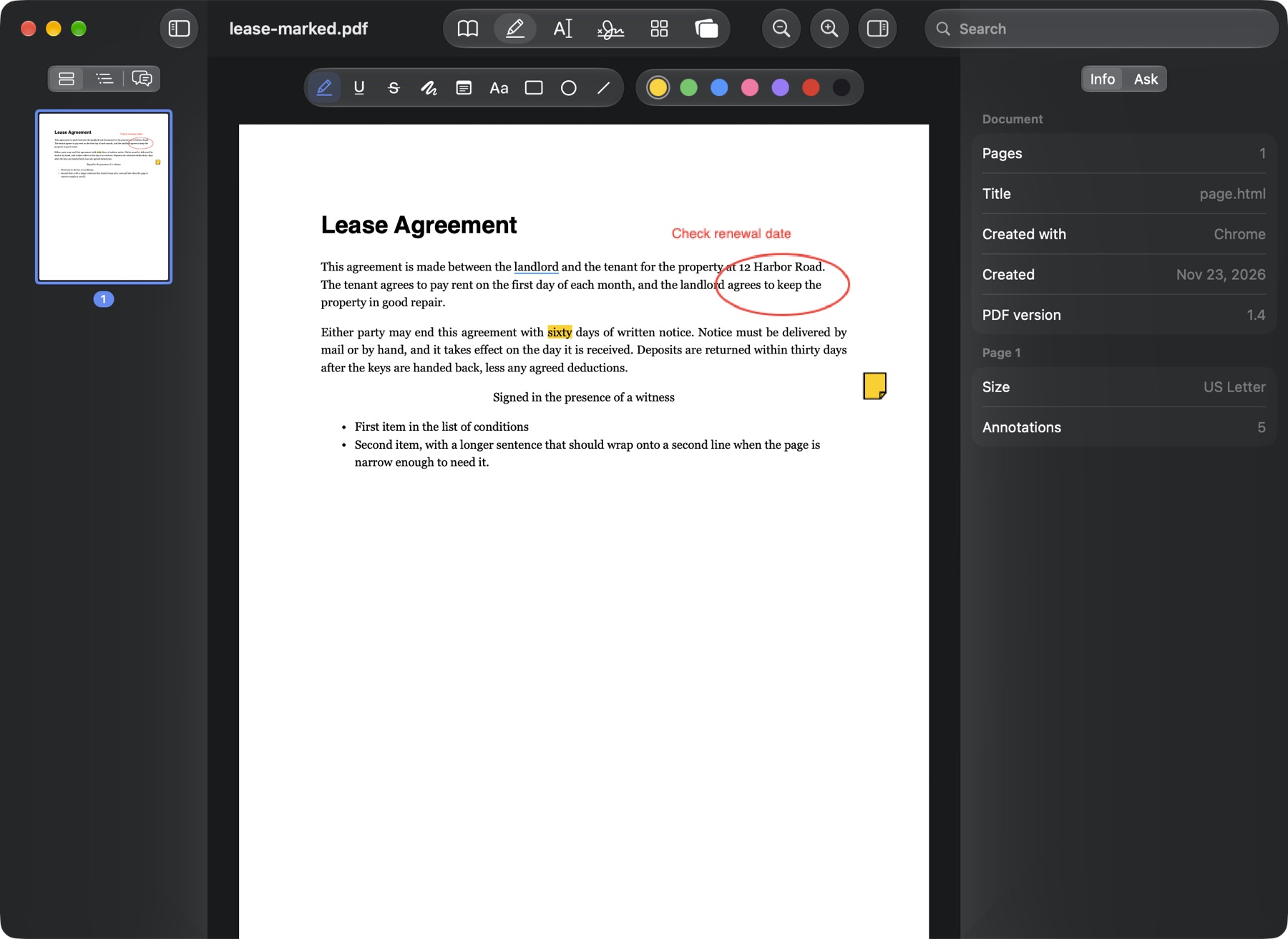
Highlight, underline and strike through text; draw, add notes, text boxes and shapes in seven colors. Click any mark to move it, drag its corner to resize it, ⌫ to delete.

Every mark is a standard PDF annotation, so it shows up in Preview, Acrobat and browsers too.

Markup mode: highlights, an underline, a circle, a note and a text box on a lease
Fill & Sign · ⌃⌘4

Sign once, place it anywhere

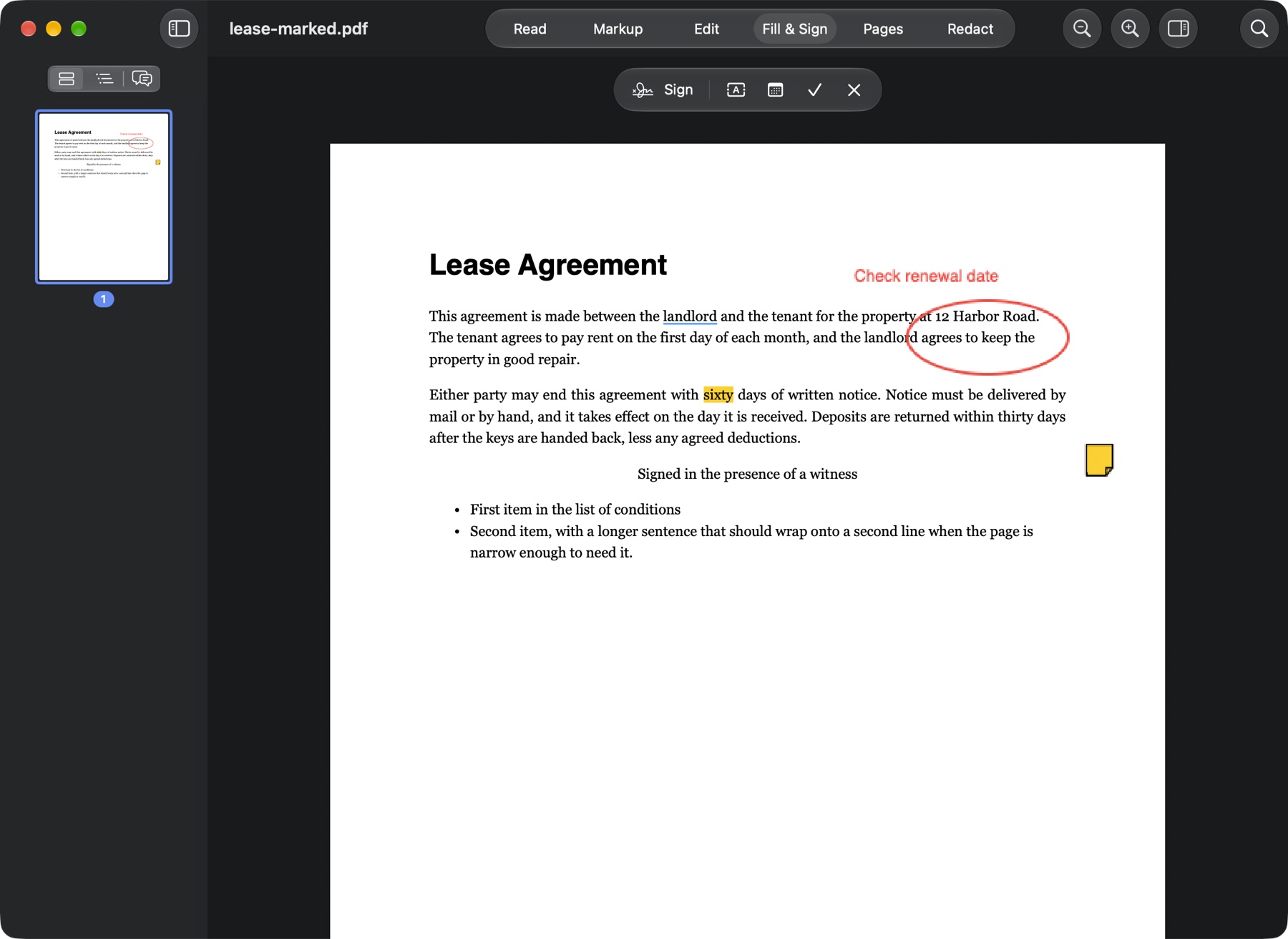
Draw your signature, type it in a script face, or import a photo of it and Recto lifts it off the paper. It's kept for next time.

Click where it goes, then drag or resize it. Add text, today's date, ✓ or ✗ the same way. Form fields fill in any mode.

The Fill and Sign bar over a document
Pages · ⌃⌘5

Every page at once

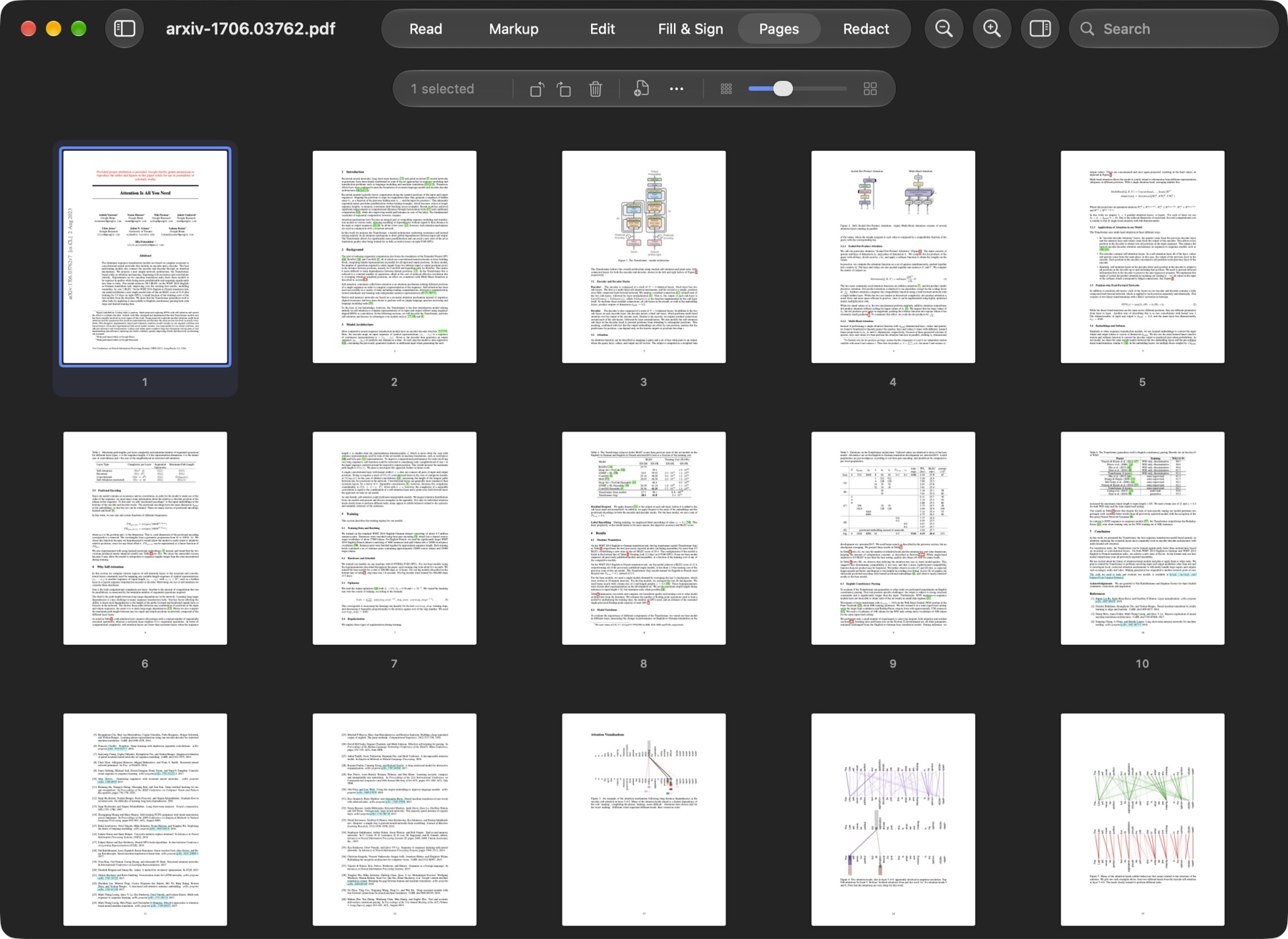
Drag to reorder, rotate, delete, insert a blank page or extract a few. Drop PDFs in from Finder to merge them.

Pages mode: a grid of every page of a paper
Compare · ⌥⌘D

What changed in the new version

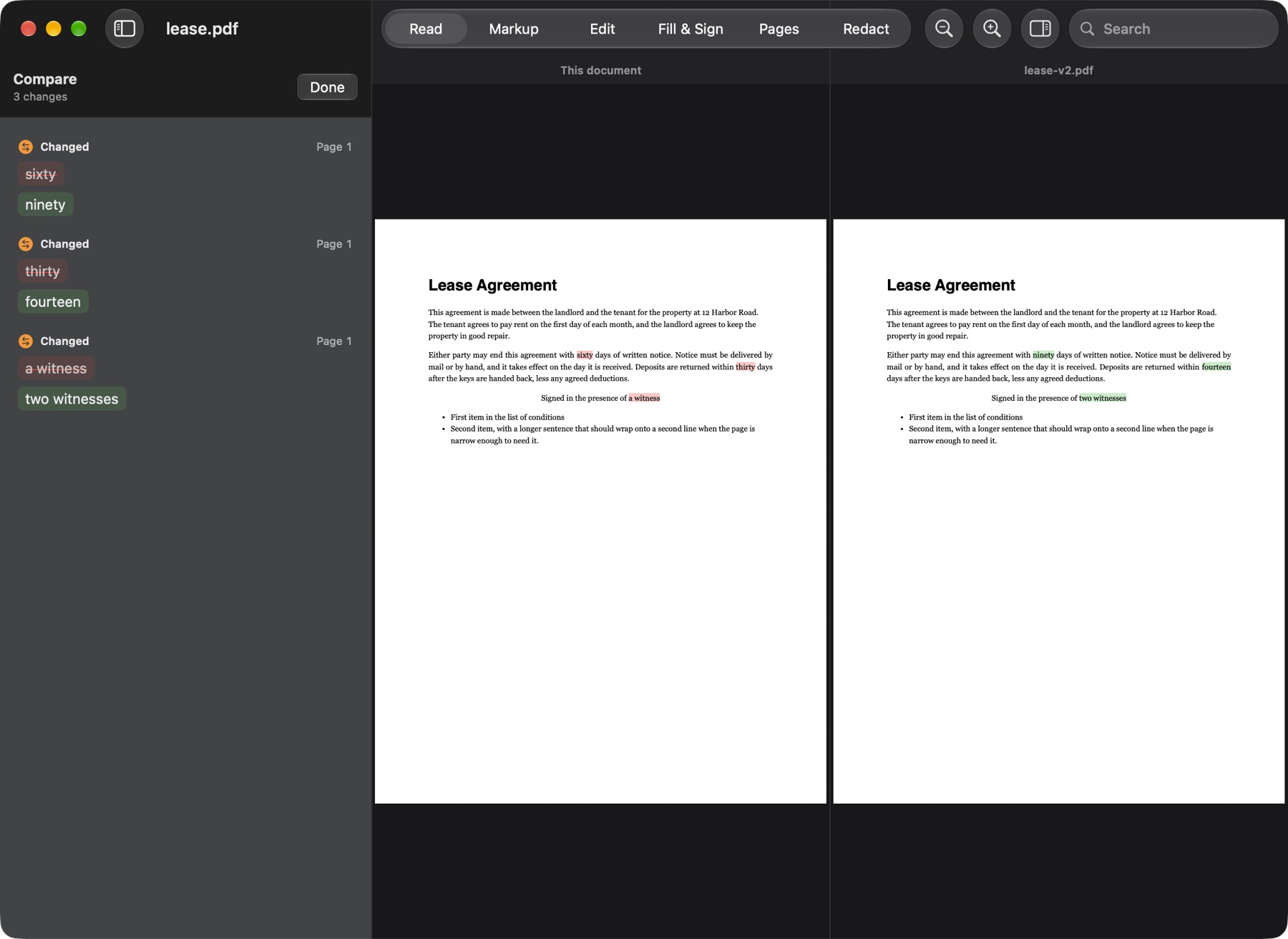
Open another version of the document and Recto lists every changed word, with both versions side by side and the changes marked. Click a change to see it in both.

Two versions of a lease side by side with three changed words listed
Also in the box

The jobs Preview leaves to other apps

Recognize TextScans become searchable and selectable. The page looks exactly the same; the reading happens on your Mac.
Reduce File SizeShrinks oversized images and shows the real result, like 7.7 MB to 6.2 MB, before you commit.
ShortcutsMerge, extract pages, compress, make searchable and redact, without opening a window.
Light or darkFollows your Mac. Pages stay white, so documents look the way they print.
Privacy

Your documents stay yours. All of them.

No account

Open Recto and start. There's nothing to sign in to and nothing to sync.

No uploads

Editing, redaction, text recognition, compression and Ask all run on this Mac. No document, page or question is sent to a server.

No tracking

No analytics and no crash reporter. Recto only opens the files you open.

Install

Ready in a minute

Download Recto.dmg11 MB, signed and notarized by Apple.
Drag it into ApplicationsThen open it from there.
Open a PDFOr drop one on the Recto icon. Choose a mode in the toolbar.

Requires macOS 26 Tahoe or later · Apple silicon and Intel · Free

EnglishDeutschEspañolFrançais日本語한국어简体中文繁體中文

Questions

Good to know

Does it really change the text, or put a box over it?

It changes the text. Recto rewrites the page's own text, embeds the font it used, and keeps the rest of the page as it was. Copy, search and screen readers see the new words.

Does it send anything anywhere?

No. There's no account, no analytics and no crash reporter. Your documents are read and changed on your Mac, and Ask uses Apple Intelligence on this Mac.

How do I know a redaction worked?

After applying, Recto reads the saved file again under every mark and reports what it found. If something couldn't be verified, for example part of a grouped drawing under a mark, the report says so rather than claiming success. Share a fresh copy (Save Redacted Copy…), since older versions of a file can still hold the original.

Will my highlights show up in other apps?

Yes. Highlights, notes, drawings and signatures are standard PDF annotations, so Preview, Acrobat and browsers show them.

Is it free?

Yes. No account, no subscription, no in-app purchases, no Pro tier.

What do I need?

A Mac with macOS 26 Tahoe or later, Apple silicon or Intel. Ask needs a Mac with Apple Intelligence turned on; everything else works on any supported Mac.

Which languages does it speak?

English, German, Spanish, French, Japanese, Korean, and Simplified and Traditional Chinese. It follows your Mac's language; to use a different one for Recto alone, choose it in Settings › General › Language.

Who makes it?

Recto is made by Rocky Stone Labs, the studio behind Kitlight and Stillwater, and published by Shanghai Douli Sports Technology Co., Ltd., the name macOS shows when you open it. The demo and the film use a sample lease, not anyone's real document.

Change the words. Keep everything else.

↓  Download for MacFree · macOS 26 or later